Hi
This post may be useful to all newbies.
Firstly, welcome to the forum. We are all fairly friendly, but do bite a bit ( me especially).
OK, when you first arrive, you are probably desperate to say hi and start posting. Try out your new found skills in the NEW MEMBERS section. This is an ideal place to test out your typing and to meet the team.
PLEASE PLEASE PLEASE don't use Capital letters all over the place, and pls dnt us txt spk. You won't get the response you were looking for.
When you have a question to ask, bear in mind that we probably have the answer. However, also bear in mind that we probably HAVE answered it already, and are probably bored of typing the same thing.
Take TEN minutes of your time to use the forums SEARCH function - click here for direct link
If you don't get any results that answer your question, ask in the relevant section.
Try and give us as much background info as possible, such as model of car, history of problem, symptoms, what you have tried, and even what you have found out in the SEARCH function.
PLEASE include details of your car whenever you can. What is the point in asking a question about a head gasket for example, if we don't know what car you have!!!
This will help us answer your query much faster - meaning you can relax and read more interesting parts of the forum...
Take time to read the rules sections too...CLICK HERE to read
If you annoy the mods and admin, we will stick to our guns...
Anyhow, thanks for reading.
****Newbie advice, please read*****
Moderator: Forum Moderators

-
Leo
- Return of the K777
- Posts: 6650
- Joined: Mon Apr 28, 2003 9:21 pm
- feedback: 1118482
- Location: Amsterdam, Netherlands
Splendid advice there Grant, I hope it makes the place more useful and welcoming to new members 
Leo
Leo
91 Citroen BX GTi 8v - bought March 13
95 Ford Mondeo 1.8i Ghia - March 11 - March 13 - scrapped
98 620 SLDi - July 08 - March 11
97 420 GSDi - dumped in France
94 420 GSi Turbo, 235bhp. Dec 03 - May 08, still missed
93 214 Si - June 02 - Feb 04
95 Ford Mondeo 1.8i Ghia - March 11 - March 13 - scrapped
98 620 SLDi - July 08 - March 11
97 420 GSDi - dumped in France
94 420 GSi Turbo, 235bhp. Dec 03 - May 08, still missed
93 214 Si - June 02 - Feb 04
-
IrishRover
- Rovertech Support Team

- Posts: 8105
- Joined: Tue Sep 16, 2003 4:16 am
- feedback: 1050163
- Location: Leinster, Republic of Ireland
- Contact:
How to post pictures
One of the most often asked questions here about posting is how to put up pictures of your car.
First you need somewhere to store your pictures (including avatars or sig images). You can create an account on http://www.photobucket.com
It's free and you get 100MB of space to store your pictures. It's specifically designed as a place where you can store and link to your pictures. It even provides you with the image links to each picture that you upload to it.
Once you know the link to your pictures, you can then post your pictures in a thread here using the
You can find out what the link to any picture you see on the web is by right-clicking the image and selecting "properties". You can then select the address or URL of the picture and copy & paste it into a post here and surround the link with the IMG tags in order to display the picture.
Photobucket already provides you with the links and the IMG code tags around them that you can just copy and paste into your post here.
For example: displays the following image:
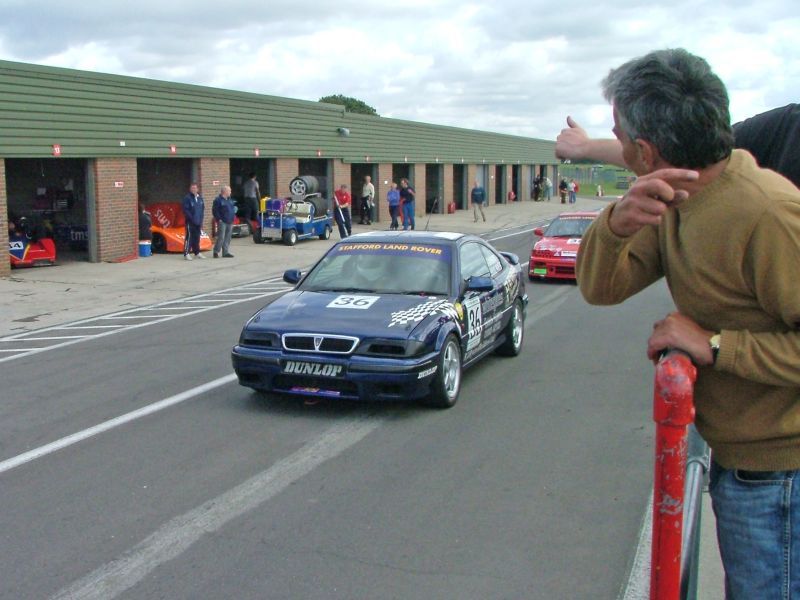

First you need somewhere to store your pictures (including avatars or sig images). You can create an account on http://www.photobucket.com
It's free and you get 100MB of space to store your pictures. It's specifically designed as a place where you can store and link to your pictures. It even provides you with the image links to each picture that you upload to it.
Once you know the link to your pictures, you can then post your pictures in a thread here using the
Code: Select all
[img] and [/img] tags.You can find out what the link to any picture you see on the web is by right-clicking the image and selecting "properties". You can then select the address or URL of the picture and copy & paste it into a post here and surround the link with the IMG tags in order to display the picture.
Photobucket already provides you with the links and the IMG code tags around them that you can just copy and paste into your post here.
For example:
Code: Select all
[img]http://img.photobucket.com/albums/v457/IrishRover/snetterton_sept04/super_coupe/04b_pitlane2.jpg[/img]
2x 216 GTi DOHC
3x 220 Coupe Turbo
-
IrishRover
- Rovertech Support Team
- Posts: 8105
- Joined: Tue Sep 16, 2003 4:16 am
- feedback: 1050163
- Location: Leinster, Republic of Ireland
- Contact:
DanK wrote:Its also in the faq
what with it being a question thats asked frequently...
The section in the FAQ on image posting is more general and doesn't mention Tom's website or Photobucket.
2x 216 GTi DOHC
3x 220 Coupe Turbo
-
NZ Rover 220
- RT GOD
- Posts: 4021
- Joined: Fri Apr 18, 2003 8:45 pm
- Location: Auckland, Aeoteroa
IrishRover wrote:Have you ever spent some time typing out a post out while the "caps lock" key was accidentally on? You've heard that posting in all capitals is seen as "shouting" when posting on the internet, and people don't like it. You would type your post out all over again, but it's going to take you a half an hour as unfortunately you're not a 60 word per minute typist, and you don't have a secretary!
Ever thought it would be great to have a way to instantly change what you've accidentally written in upper case to lower case? Well there is a way!
MS Word and a few other programs support a feature where by highlighting the text and pressing SHIFT+F3 will convert upper case to lower case and vice versa. It will also capitalise the words at the beginning of sentences for you too if you press shift+F3 again.
So in a nutshell:
To convert upper case to lower case:Copy and paste what you've typed into MS Word.
With the text highlighted in MS Word, press SHIFT+F3 to cycle between upper case, lower case and capitalised lower case.
Copy and paste the converted text back into your post.
Mods, could you put this in the newbie advice thread please?
1999 Subaru Legacy B4 RSK TT